KION MRP Exception Management

Prototype Feedback Guide

Use this guide while trying the prototype the way you would process real exception work. The goal is to capture planner feedback that helps LightForge tune email approvals, vendor reply handling, buyer ownership, and reporting before the pilot expands.

Prototype review Pilot workflow Operational feedback
Purpose

Use your KION judgment, not a software tester checklist.

Think like it is real

If this vendor email went out tomorrow, would the PO, line item, dates, and request be clear?

Follow the work

Start from the email queue, review the draft, and decide what you would do next in normal MRP follow-up.

Look for fit

Does the workflow match how KION buyers review exceptions, contact vendors, and resolve replies today?

You are judging the operating workflow

The best comments name the example and the operational rule behind it: wrong buyer, wrong vendor contact, missing PO line detail, bad wording, incorrect escalation, confusing status, or a report that does not answer the real question.

Suggested walkthrough

Run one real-work loop, then look for edge cases.

1

Sign in

Use https://kion-prototype.lightforgeworks.com/login with the assigned prototype account and access code shared separately.

2

Start in Comms

Review Needs Approval first. Expand drafts, approve examples, and note anything that would make a vendor confused.

3

Drill into PO detail

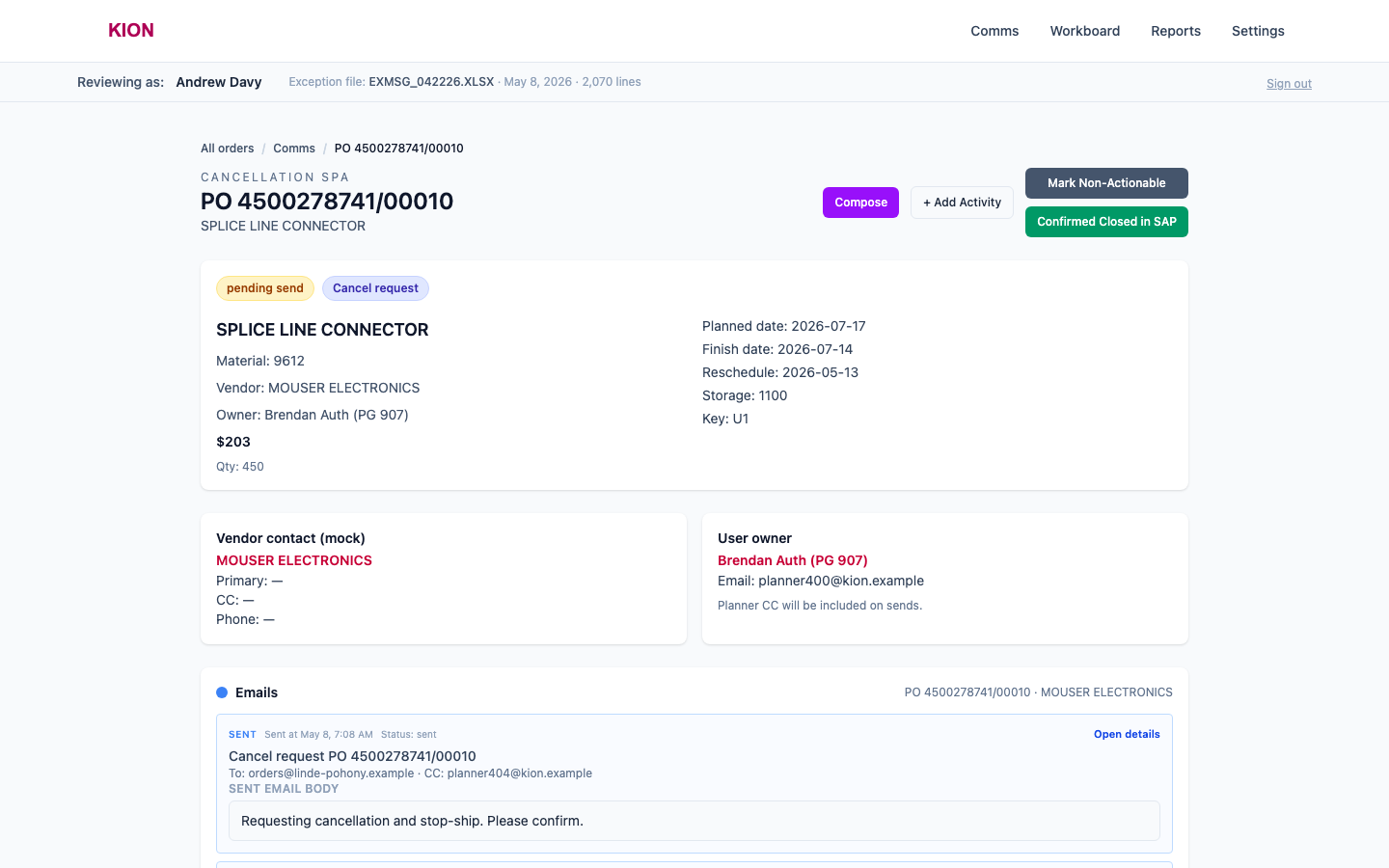
Open one line to inspect vendor contact, buyer ownership, PO dates, email history, notes, and status actions.

4

Check patterns

Use Workboard and Reports to see whether repeated issues are individual examples or broader rule changes.

Prototype access

Use the account mapped to your role or purchasing group. If access does not match what you expect to review, flag it during feedback.

Primary workspace

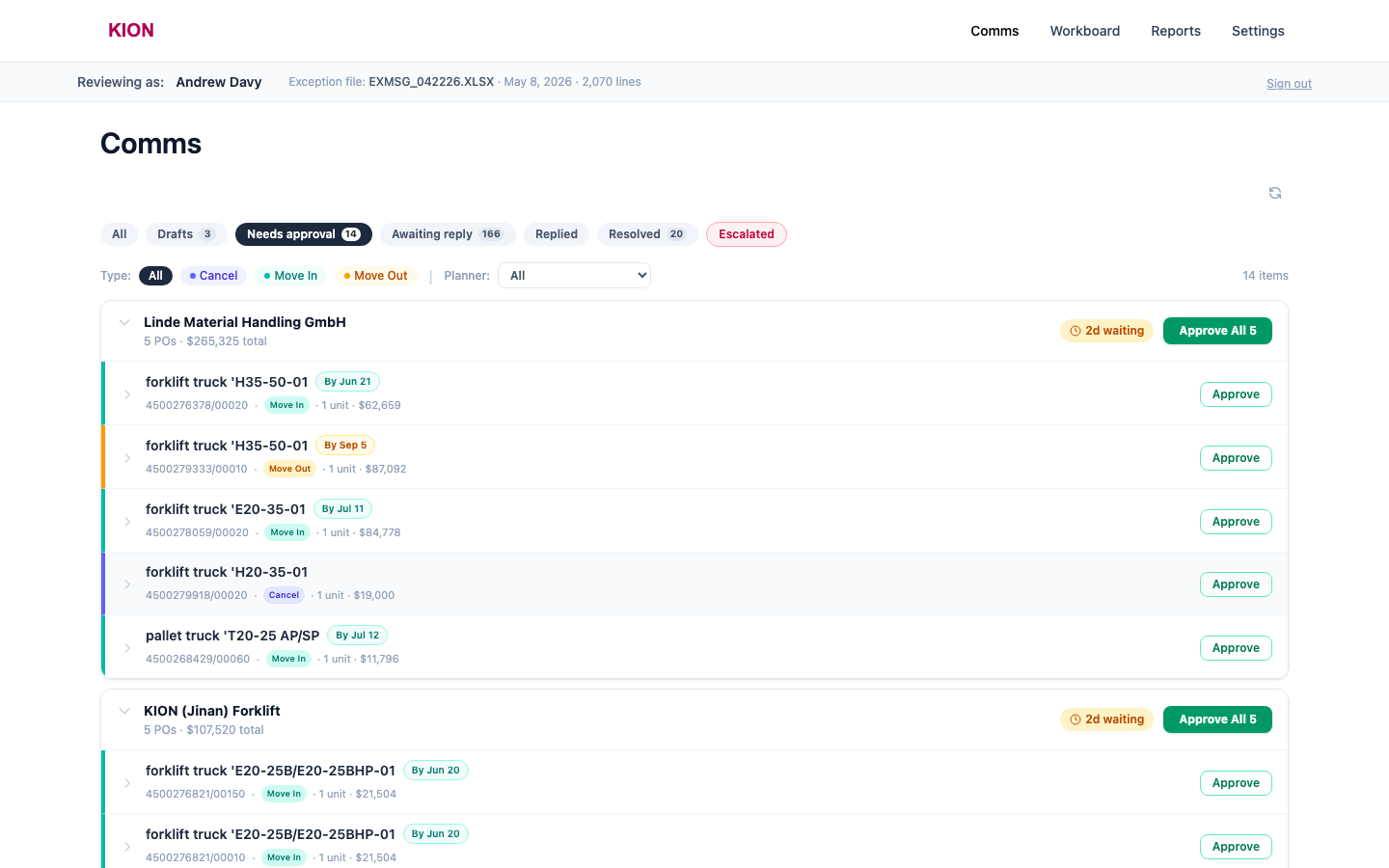
Comms is where the daily work should start.

Use Comms to answer: what needs approval, what is waiting on vendors, what has been replied to, and what needs escalation?

Needs approval Awaiting reply Replied Escalated
Comms screen in the KION prototype

Approval flow

Judge whether inline approval is fast enough for real daily volume.

Vendor grouping

Does grouping by vendor make it easier to clear multiple related POs?

Line detail

Does the row show enough PO and line-item context before you approve?

Email wording

Would the vendor understand exactly what KION is requesting?

Batch approval

Would "Approve All" be safe for that vendor, or does it need more guardrails?

Best feedback signal

"This draft needs the PO line suffix because the same part appears on multiple lines" is more useful than "email needs more detail."

Reply handling

Use vendor replies to test the three decision paths.

Accept

Use when the vendor response resolves the exception and can move to Resolved.

Escalate

Use when the vendor rejects or complicates the request and Andy needs to resolve it directly.

Reply again

Use when KION should counter, clarify, or ask for a compromise before closing the loop.

Look for unclear states

If you cannot tell whether a line is waiting, resolved, escalated, or still actionable, capture that example. Status clarity is critical once the queue runs daily.

Exception context

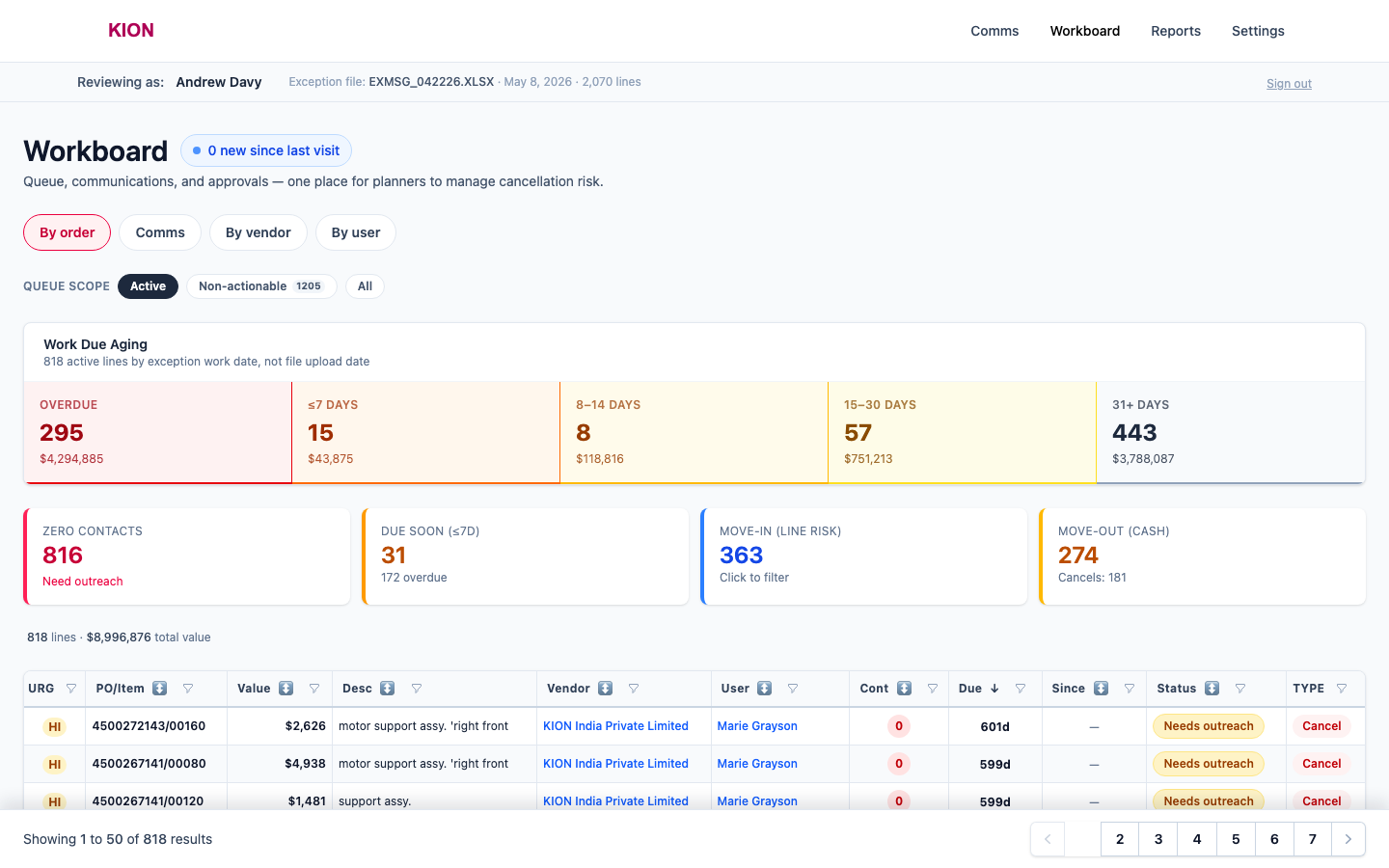
Workboard and PO detail answer "why is this here?"

W

Workboard

Filter by buyer, vendor, exception type, status, and non-actionable lines to spot rule problems.

P

PO detail

Check owner, vendor contact, SAP dates, email history, notes, and close/non-actionable actions.

F

Pilot vendors

Look specifically at Fenwick, Ross, and ID Systems when judging first-run readiness.

Workboard screen in the KION prototype
PO detail screen in the KION prototype

Management view

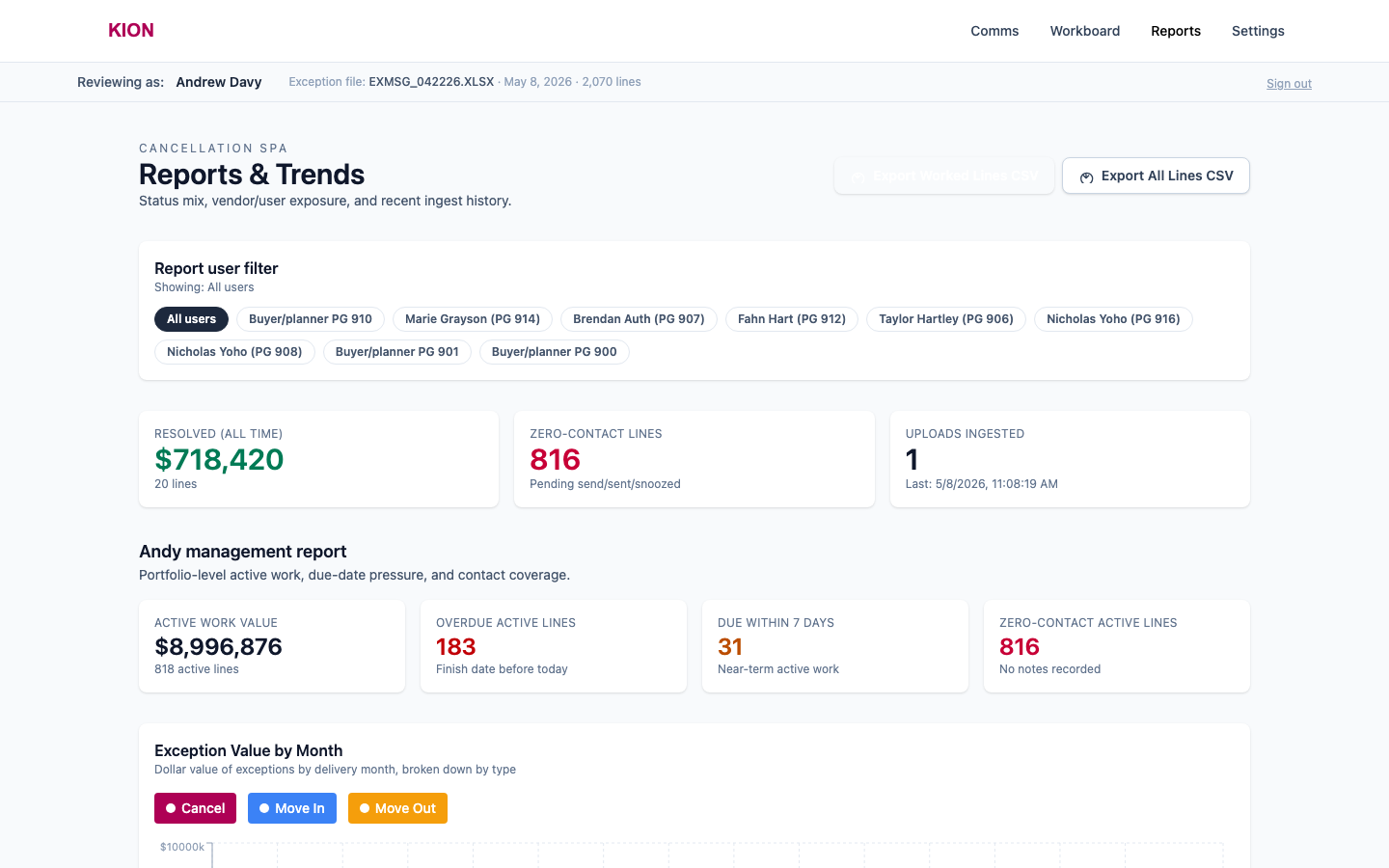
Reports should make queue value and ownership visible.

Use Reports to judge whether vendor, buyer, and value rollups explain where the opportunity and follow-up burden sit.

Vendor drill-down Planner ownership Value at stake Aging
Reports screen in the KION prototype

Feedback target

If a filtered table or report does not answer "how much value is affected?" or "who owns this work?", note the exact view and the missing number.

Configuration review

Review rules carefully; change them only with LightForge.

Buyer exclusions

Confirm excluded buyer groups such as 910 and any future non-actionable ownership rules.

Vendor contacts

Flag missing, stale, or wrong contacts, especially for domestic one-off suppliers.

Email templates

Check wording, PO line specificity, KION tone, and whether the request feels legitimate to vendors.

How to give rule feedback

Name the current rule, the desired rule, and one PO/vendor example that proves why the change matters. That makes the fix testable.

Live review

Bring examples and talk through the prototype live.

What will happen

Each reviewer should share the screen, pull up examples, and explain what felt good, wrong, confusing, missing, or risky before real vendor outreach.

Focus on repeated patterns first. One recurring rule issue is more valuable than a long list of isolated comments.

1

Show the example

Open the vendor group, PO detail, report, or rule area that made you react.

2

Say what you noticed

Call out what was good, bad, surprising, missing, or unclear.

3

Explain the business impact

Tell us whether it blocks pilot use, needs adjustment, or is a later enhancement.